
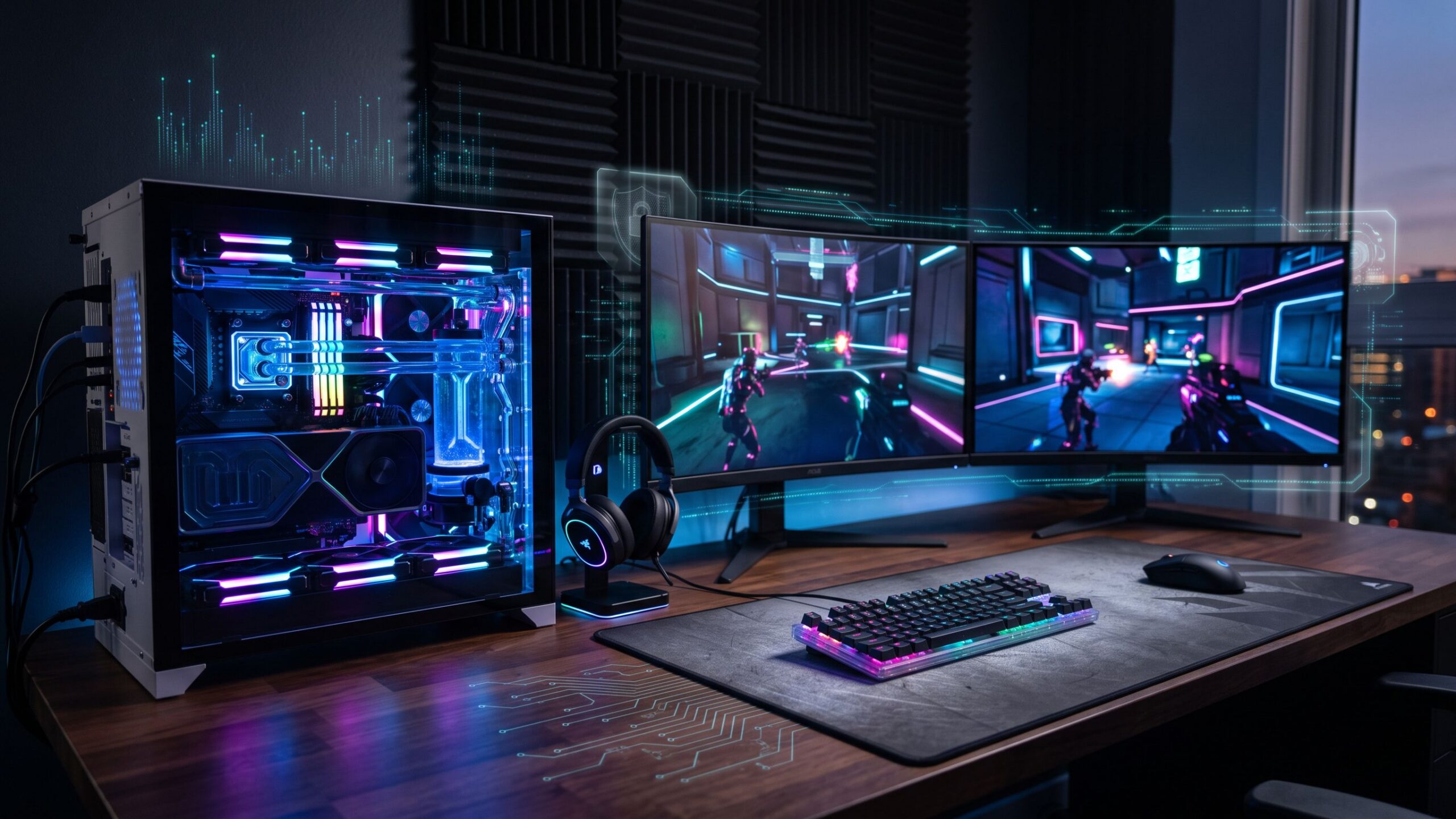
Every gamer knows the frustration of a perfectly timed shot ruined by sudden lag, an intense multiplayer battle interrupted by an unexpected notification, or a competitive match disrupted by an unstable connection. Gaming is an experience built around speed, precision, and immersion, where even milliseconds can make the difference between victory and defeat. Yet while players invest heavily in graphics cards, gaming monitors, mechanical keyboards, and high-speed internet connections, one essential component often receives less attention: cybersecurity. Modern gaming environments are increasingly attractive targets for cybercriminals. From malicious game modifications and fraudulent downloads to stolen accounts, phishing attacks, and distributed denial-of-service attacks, online players face threats that can compromise far more than their gaming performance. A compromised account could mean losing years of progress, purchased games, valuable digital items, and personal information. Fortunately, modern internet security solutions have evolved beyond traditional antivirus programs that consumed excessive resources and interrupted gameplay. Today’s gaming-friendly security products aim to provide continuous protection while minimizing background activity, unnecessary notifications, and system interference. The challenge is finding software that delivers dependable security without introducing performance problems. This comprehensive review explores leading internet security solutions for gamers, evaluates their strengths and limitations, and explains how to create a secure gaming environment without sacrificing the speed and responsiveness that competitive play demands.
Why Internet Security Is Essential for Modern Gamers
Gaming has developed into an enormous interconnected digital ecosystem involving online marketplaces, multiplayer servers, streaming platforms, voice communication applications, and downloadable content. Every connection introduces potential security concerns, particularly when players interact with unfamiliar individuals or download files from unofficial sources. Cybercriminals frequently disguise malicious software as free game modifications, performance boosters, exclusive character skins, or unofficial patches. Once installed, these programs may steal login credentials, collect personal information, or compromise the operating system. Gaming accounts are especially valuable targets because they can contain purchased titles, rare cosmetic items, linked payment methods, and digital inventories with significant resale value. Phishing attacks represent another widespread danger. Fraudulent messages may impersonate gaming platforms, tournament organizers, or customer support representatives, directing players toward convincing imitation login pages. Competitive gamers and livestreamers may also encounter network-based attacks intended to disrupt connectivity. While security software cannot prevent every possible threat, effective malware detection, phishing protection, account authentication, and network safeguards significantly reduce exposure. Internet security is no longer simply about protecting a computer from viruses. It is about preserving digital ownership, protecting financial information, maintaining account access, and ensuring that gaming remains an enjoyable experience rather than an unexpected cybersecurity nightmare.
What Makes Internet Security Software Ideal for Gaming?
Not every antivirus program is designed with gaming performance in mind. Traditional security applications may conduct scheduled scans, download updates, display notifications, or perform background maintenance at inconvenient moments. Although these activities serve legitimate security purposes, they can occasionally compete with demanding games for processing power, memory, or storage resources. Gaming-friendly security software attempts to minimize these interruptions through intelligent workload management and specialized gaming modes. Some products recognize when a full-screen game launches and automatically suppress nonessential notifications or postpone routine maintenance. Others provide resource-management features intended to reduce background interference. Efficient real-time scanning is particularly important because gamers frequently install large applications, download updates, and access files containing substantial amounts of data. However, claims about improved gaming performance should be evaluated carefully. An antivirus program that uses relatively little memory does not necessarily increase frame rates, and gaming modes cannot compensate for inadequate hardware. The strongest products combine reliable malware detection, low unnecessary system overhead, effective web protection, compatibility with popular gaming platforms, and straightforward controls. Ideally, security software should operate quietly in the background, responding aggressively to genuine threats while remaining unobtrusive during ordinary gameplay.
Norton 360 for Gamers: Comprehensive Protection Built Around Gaming
Norton 360 for Gamers is among the most recognizable cybersecurity products specifically marketed toward gaming enthusiasts. Its primary appeal lies in combining traditional internet security capabilities with features designed to accommodate demanding gaming sessions. Depending on the subscription and region, Norton offers real-time malware protection, ransomware defenses, password management, cloud backup, VPN functionality, and dark web monitoring. One of its distinguishing features is Game Optimizer, designed to manage CPU resource allocation for supported games on compatible Windows computers. Rather than simply disabling security functions, this feature attempts to distribute available processing resources more effectively. Norton also emphasizes reducing unnecessary interruptions, helping players avoid distracting notifications during important matches. Its broad protection package makes it attractive to gamers who want a single subscription covering multiple security needs. However, the extensive feature collection may feel unnecessary for users who already have a password manager, backup system, or separate VPN service. Some capabilities also depend on operating system compatibility and subscription eligibility. Norton 360 for Gamers is particularly appealing to dedicated PC players who appreciate an integrated security suite and gaming-oriented performance features. Its greatest strength is convenience, although buyers should compare current pricing, renewal rates, and included features before committing.
Bitdefender Total Security: Strong Cybersecurity With Gaming-Friendly Performance
Bitdefender Total Security approaches gaming protection through a comprehensive security platform rather than an exclusively gaming-branded product. It combines malware detection, web protection, ransomware-related defenses, and device security features with tools designed to reduce unnecessary interruptions during demanding activities. Its gaming-aware profiles are especially useful for Windows players because they can adjust certain background operations and notification behaviors when supported games are running. This helps preserve the gaming experience without requiring users to manually disable essential protections. Bitdefender’s web security features are particularly relevant to gamers who frequently browse community forums, download modifications, or encounter unfamiliar links through messaging platforms. Suspicious websites and malicious downloads can pose serious risks, even when they appear connected to legitimate gaming communities. Another advantage is broad device compatibility, making Bitdefender attractive to households using gaming desktops, laptops, smartphones, and other supported devices. Its main limitations involve subscription complexity and differences between included features across plans. VPN allowances, advanced privacy tools, and device limits should be checked individually. Bitdefender does not guarantee improved frame rates, but its gaming-aware design can help reduce avoidable background interference. For gamers seeking comprehensive protection across multiple devices, Bitdefender Total Security represents a well-rounded option that balances cybersecurity functionality with everyday usability.
ESET HOME Security: A Streamlined Option for Performance-Conscious Players
ESET HOME Security is particularly appealing to gamers who prefer a controlled, relatively unobtrusive security environment. ESET’s consumer security products provide malware detection, protection against common online threats, and additional capabilities that vary according to subscription tier. One of its most relevant gaming features is Gamer Mode, available on supported Windows configurations. This feature is designed to reduce interruptions and postpone selected background activities while games or other full-screen applications are running. For competitive players, minimizing unnecessary distractions can be just as valuable as reducing resource consumption. ESET also offers configuration options that may appeal to technically experienced users who want greater control over their security environment. However, customization should be approached carefully because excessive exclusions or disabled protection modules can create vulnerabilities. Its interface and configuration flexibility may require more attention than some beginners prefer. ESET is especially suitable for PC enthusiasts who prioritize reliable everyday protection, quieter operation, and the ability to adjust software behavior. While it is frequently considered by performance-conscious users, actual system impact depends on hardware, software versions, and the activities being performed. The strongest reason to consider ESET is its combination of configurable protection and gaming-aware operation rather than an assumption that it will always outperform competing antivirus products.
Malwarebytes: Straightforward Protection Against Gaming-Related Threats
Malwarebytes offers an appealing alternative for gamers who prefer security software focused primarily on detecting and preventing malicious activity. Its consumer products emphasize malware protection, suspicious website detection, and defenses against several common forms of cyberattack. These capabilities are especially relevant to players who regularly download game modifications, browse community marketplaces, or encounter unfamiliar files. Malwarebytes is also widely recognized for its malware scanning and removal capabilities, making it useful when investigating potentially compromised systems. However, users should distinguish between free on-demand scanning and paid real-time protection, since these provide different levels of continuous security. One advantage of Malwarebytes is its relatively straightforward approach, which may appeal to players who do not want numerous additional utilities bundled into their antivirus subscription. Nevertheless, users should evaluate its current feature set carefully because some competing suites include broader privacy and identity protection services. Running multiple real-time antivirus products simultaneously can also create compatibility problems or unnecessary system overhead. Malwarebytes is best suited to gamers who value focused malware defenses and accessible controls. It can be a practical security choice, but its benefits should be compared with existing operating system protections before purchasing an additional subscription.
Microsoft Defender: Is Free Antivirus Enough for Gamers?
Microsoft Defender Antivirus provides an important alternative to paid gaming security products because it is already integrated into modern Windows systems. Combined with Microsoft Defender Firewall, SmartScreen, security updates, and other Windows protection features, it establishes a capable baseline defense against common digital threats. For gamers who primarily purchase titles through established storefronts, avoid suspicious downloads, and practice strong account security, built-in protection may be sufficient. One of Defender’s greatest advantages is convenience. It does not require purchasing a separate antivirus subscription, and its integration with Windows simplifies updates and everyday maintenance. However, Defender still performs real-time scanning and other security operations that consume system resources. Large game installations, file extraction, and scheduled scans can occasionally create noticeable activity, particularly on computers with slower storage or limited processing capacity. Defender also does not eliminate the need for secure passwords, multifactor authentication, backups, and careful browsing habits. Gamers who need additional identity monitoring, specialized privacy features, or centralized management across several devices may prefer a paid security suite. Nevertheless, Microsoft Defender remains a sensible starting point for budget-conscious players who want reliable baseline protection without adding unnecessary software.
Gaming VPNs: Privacy Protection Without Unnecessary Latency
Virtual private networks, commonly known as VPNs, are frequently advertised as essential tools for online gaming. Their actual value depends on the player’s network environment and privacy requirements. A VPN creates an encrypted connection between a device and a VPN server, helping conceal the user’s original public IP address from many external services and reducing visibility into traffic for observers on the local network. Reputable providers such as NordVPN, ExpressVPN, and Proton VPN offer encrypted connections, multiple server locations, and additional privacy-oriented features. For gamers, VPNs can be useful when connecting through shared networks or attempting to reduce direct exposure of a home IP address in certain circumstances. However, VPNs do not automatically prevent malware infections, phishing attacks, or account theft. They also do not guarantee lower ping. Because internet traffic must travel through an additional server, VPN connections frequently increase latency compared with a well-routed direct connection. Occasionally, a VPN may improve performance when an internet provider’s normal routing is inefficient, but this should not be treated as a universal benefit. Gamers should prioritize nearby servers, reliable providers, stable connections, and efficient protocols such as WireGuard or comparable modern technologies. A gaming VPN should be selected primarily for privacy and specific network needs, not unrealistic promises of guaranteed performance improvements.
How Antivirus Software Can Affect FPS, Ping, and Gaming Performance
Understanding how security software interacts with gaming performance requires distinguishing between frame rates, network latency, and overall system responsiveness. Frames per second, or FPS, measures how many images a computer renders each second. Higher and more consistent frame rates generally contribute to smoother gameplay. Ping measures the time required for information to travel to a remote server and return, while packet loss occurs when transmitted data fails to reach its destination. Antivirus software can affect these measurements in different ways. Intensive background scans may compete with games for CPU resources, memory, or storage access, potentially creating temporary stuttering or inconsistent frame times. Network security features generally have little effect on latency under normal circumstances, although certain filtering systems and VPN configurations can introduce additional processing or routing overhead. Importantly, low FPS and high ping are not interchangeable problems. Replacing antivirus software will not necessarily fix poor Wi-Fi coverage, overloaded network connections, or distant game servers. Likewise, purchasing faster internet service will not automatically improve performance when the graphics card is the limiting factor. Gamers should investigate the actual source of performance problems before changing security products or disabling protective features.
Protecting Gaming Accounts From Hackers and Phishing Scams
Gaming accounts often represent years of financial investment, achievements, and personal history. Losing access to a primary account can be devastating, especially when it contains purchased titles, rare items, competitive rankings, and linked payment methods. Unfortunately, account theft frequently occurs through techniques that traditional antivirus software cannot prevent entirely. Phishing scams may arrive through direct messages, fraudulent tournament invitations, fake customer support notifications, or websites advertising free premium content. Attackers often imitate legitimate gaming services with convincing branding and familiar login interfaces. The most effective defense begins with unique passwords for every important account. Password managers simplify this process by generating and storing strong credentials. Multifactor authentication adds another critical security layer, particularly when using authenticator applications, passkeys, or hardware security keys. Players should also secure the email accounts connected to their gaming profiles because compromised email access may allow attackers to reset passwords across multiple services. Suspicious links should be avoided, and account access should occur through verified official applications or websites. Strong account security is not merely an optional supplement to antivirus protection. It is one of the most important defenses against losing valuable digital assets.
DDoS Protection: Keeping Your Connection Online During Competitive Play
Distributed denial-of-service attacks, commonly called DDoS attacks, can interrupt gaming by overwhelming a network connection or online service with excessive traffic. Unlike malware infections, these attacks do not necessarily require compromising the target’s computer. Instead, attackers attempt to make legitimate network communication difficult or impossible. Competitive gamers, livestreamers, and individuals using services that expose network addresses may face greater exposure to certain forms of targeted disruption. A VPN can sometimes reduce direct exposure of a player’s home IP address, particularly in peer-to-peer environments, but it does not provide complete DDoS protection. Attacks targeting VPN infrastructure or other network components may still cause disruptions. Specialized DDoS mitigation generally requires network-level filtering, traffic distribution, or infrastructure capable of absorbing malicious traffic. These capabilities are more commonly provided by internet service providers, hosting companies, and professional gaming platforms. Home users experiencing repeated attacks may need assistance from their internet provider. Players should also avoid unnecessarily sharing public IP information and use official matchmaking systems when available. Understanding the limits of ordinary security software is important because even an excellent antivirus product cannot independently stop a large attack overwhelming an internet connection.
The Hidden Dangers of Game Mods, Cheats, and Unofficial Downloads
Game modifications can transform ordinary gaming experiences into something extraordinary. Community-created content introduces new environments, characters, visual enhancements, gameplay mechanics, and customization possibilities. Unfortunately, unofficial downloads also provide opportunities for cybercriminals to distribute malicious software. A seemingly harmless graphics enhancement or performance utility may contain credential-stealing malware, spyware, or software designed to establish unauthorized remote access. Attackers sometimes disguise malicious programs as free premium skins, unofficial game patches, or tools promising improved competitive performance. Cheat software is particularly concerning when distributors instruct users to disable antivirus protection before installation. Although legitimate programs can occasionally trigger false-positive alerts, disabling security should never be considered a routine requirement for installing unfamiliar software. Gamers should obtain modifications from established communities, review recent user feedback, examine file reputations, and avoid running unknown executables with administrator privileges. Security software can detect many malicious files, but no antivirus engine provides perfect protection. Responsible downloading habits remain essential, especially when experimenting with software outside official gaming marketplaces.
How to Optimize Your Gaming PC Without Disabling Security
Achieving strong cybersecurity and responsive gaming performance does not require choosing one at the expense of the other. A well-maintained gaming computer can support effective security software while delivering excellent performance. The first priority is keeping Windows, graphics drivers, game launchers, and security applications updated. Updates frequently resolve vulnerabilities, compatibility problems, and performance-related issues. Gamers should also review unnecessary startup applications and background processes. Multiple game launchers, browser windows, recording utilities, cloud synchronization tools, and hardware management applications can collectively consume substantial resources. Gaming modes offered by certain security products may reduce distractions by postponing routine maintenance and suppressing nonessential notifications. Scheduled antivirus scans can also be arranged for periods when the computer is not being used for demanding games. For online multiplayer performance, wired Ethernet connections often provide more consistent latency than congested wireless networks. VPN users should compare gameplay performance with and without their VPN enabled to determine whether the additional routing affects responsiveness. Most importantly, gamers should avoid disabling real-time protection or excluding entire download folders merely to chase minor performance improvements. Effective optimization means eliminating unnecessary interference while preserving essential security defenses.
Internet Security for Console and Mobile Gamers
Cybersecurity concerns extend beyond gaming computers. Console and mobile gamers also maintain valuable accounts, purchase digital content, and interact with online communities. PlayStation, Xbox, and Nintendo consoles operate within more restricted software environments than conventional Windows computers, meaning traditional desktop antivirus programs are generally not installed directly on these systems. Console security therefore depends heavily on account protection, official system updates, secure payment settings, and responsible online behavior. Players should enable available multifactor authentication features and remain cautious of fraudulent messages promising free subscriptions, game currency, or exclusive rewards. Home router security also plays an important role. Strong Wi-Fi encryption, updated router firmware, and changed default administrator credentials help protect connected household devices. Mobile gamers face additional concerns involving fraudulent applications, malicious advertisements, unofficial download sources, and deceptive in-app purchases. Android and iOS provide built-in security mechanisms, but players should still install applications from trusted sources and review requested permissions. Households containing gaming PCs, consoles, smartphones, and tablets benefit from coordinated security practices, even when each platform requires different protective tools.
Choosing the Best Gaming Security Software for Your Budget
Internet security products vary significantly in pricing, subscription structure, and included features. Some focus primarily on malware prevention, while others combine antivirus protection with VPN services, password management, identity monitoring, cloud backup, and additional privacy tools. For budget-conscious gamers, Microsoft Defender provides a practical starting point because it is included with Windows. Players seeking a broader security package may find Norton 360 for Gamers appealing, particularly when gaming-specific optimization features are important. Bitdefender Total Security is attractive for households protecting several device types, while ESET HOME Security offers configurable protection suited to users who prefer greater control. Malwarebytes may appeal to players who prioritize straightforward malware protection without needing every feature of a comprehensive security suite. However, buyers should carefully examine renewal pricing rather than focusing exclusively on promotional first-year discounts. Device limits, VPN restrictions, operating system compatibility, and included services can differ considerably between subscription tiers. A product offering numerous features is not automatically the best value if most of those features remain unused. The smartest purchase is one that addresses genuine security needs while fitting comfortably within the player’s budget.
What to Look for Before Purchasing Gaming Internet Security
Choosing the right security product requires looking beyond promotional claims and feature counts. Independent malware protection testing is an important starting point because antivirus effectiveness can change as software evolves and new threats emerge. Organizations such as AV-TEST and AV-Comparatives publish evaluations that can help consumers compare detection capabilities, false positives, and performance impact. Gamers should also investigate compatibility with their operating system, preferred games, launchers, and anti-cheat technologies. A product that works smoothly on one computer may behave differently on another because of hardware specifications and installed applications. Gaming modes should be evaluated for their practical benefits rather than assumed to produce dramatic frame-rate improvements. Customer support quality, refund policies, subscription cancellation procedures, and renewal costs are also worth considering. Security software should provide clear alerts and understandable controls without overwhelming users with unnecessary complexity. For households with younger gamers, parental controls and account management features may provide additional value. Ultimately, the best product is one that offers trustworthy protection, remains compatible with the gaming environment, and requires minimal attention during normal use.
The Future of Internet Security for Gamers
As gaming technology continues to evolve, cybersecurity solutions must adapt to increasingly complex digital environments. Cloud gaming, cross-platform multiplayer systems, digital marketplaces, and interconnected gaming communities create new opportunities for entertainment while expanding the number of potential attack surfaces. Security developers are increasingly incorporating behavioral analysis, cloud-assisted threat detection, and automated responses to suspicious activity. These technologies can help identify threats that traditional signature-based scanning might overlook, although they also require careful design to avoid false positives and unnecessary resource consumption. Account security is evolving as well, with passkeys and phishing-resistant authentication offering promising alternatives to password-only access. Network protection may become increasingly important as more gaming experiences depend on remote servers and persistent online connectivity. However, no emerging technology will eliminate the need for responsible user behavior. Gamers will still need to evaluate unfamiliar downloads, protect account credentials, install security updates, and understand the limitations of privacy tools. The future of gaming cybersecurity will likely emphasize protection that operates more intelligently and unobtrusively, allowing security systems to respond to threats without constantly demanding the player’s attention.
Final Verdict: The Best Internet Security Lets You Focus on Winning
The best internet security for gamers delivers dependable protection without creating unnecessary obstacles between the player and the game. Norton 360 for Gamers stands out for its gaming-focused features and comprehensive security package, while Bitdefender Total Security provides broad protection with gaming-aware capabilities. ESET HOME Security appeals to players seeking configurable, unobtrusive operation, and Malwarebytes offers a focused approach to malware defense. Microsoft Defender remains an important alternative for gamers who prefer built-in Windows protection without paying for another subscription. VPN services can provide useful privacy benefits, but they should not be mistaken for guaranteed latency improvements or complete protection against network attacks. Ultimately, selecting the right security product depends on individual gaming habits, hardware capabilities, account value, privacy concerns, and budget. Strong passwords, multifactor authentication, updated software, secure downloads, and reliable network connections are just as important as choosing an antivirus brand. Gaming should be about exploration, competition, creativity, and enjoyment, not worrying about stolen accounts, malicious downloads, or compromised devices. With the right combination of security software and responsible digital habits, players can protect their gaming investments while preserving the smooth, responsive experience they expect. The ultimate victory is not simply defeating opponents on the screen. It is knowing that your accounts, devices, and personal information remain protected long after the match is over.
Internet Security Software
Explore Top 10 Best Internet Security Software Reviews! Dive into our comprehensive analysis of the leading Internet Security products, complete with a detailed side-by-side comparison chart to help you choose the perfect protection for your devices.